You create,
AIKirei cleans up.
Every AI response comes with "unnamed work" (cleanup) —
trimming filler, fixing structure, rewriting for your audience.
AIKirei is a Chrome extension that handles that "unnamed work" (cleanup).
Every AI output comes with
"unnamed cleanup work"
AI gives you answers. But they're never ready to use as-is.
- 01 You delete "Sure, I'd be happy to help" every single time
- 02 You fix broken bullet point hierarchy by hand
- 03 You manually extract key points to paste into Slack
- 04 You clean up AI-flavored emojis and too many paragraphs
But "the unnamed work" still remains.
Everyone does it,
yet no tool solves it.
Before and after cleanup
The project progress is as follows.
- Design phase: Complete
- Implementation phase: 80% complete
- Testing: Not started
If you have any questions, feel free to ask! Is there anything else I can help you with?
・Design: Done
・Implementation: 80%
・Testing: Not started
→ Output as Slack / Word / Markdown
What it does
Powerful support for document creation with your Chat AI.
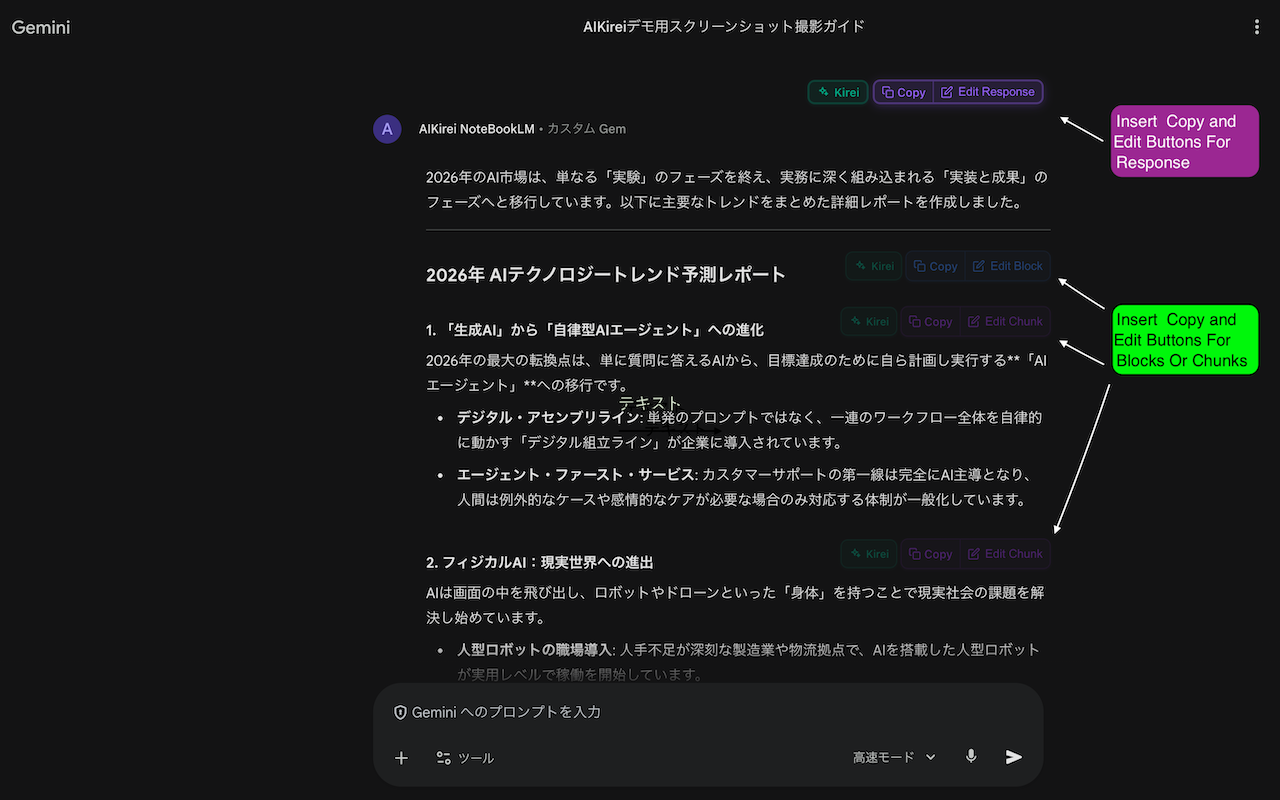
■ Pick only the blocks you need
AI responses are parsed hierarchically by heading level (H1–H3). Grab content at Section, Block, or Chunk level. No more copying everything and deleting what you don't need.
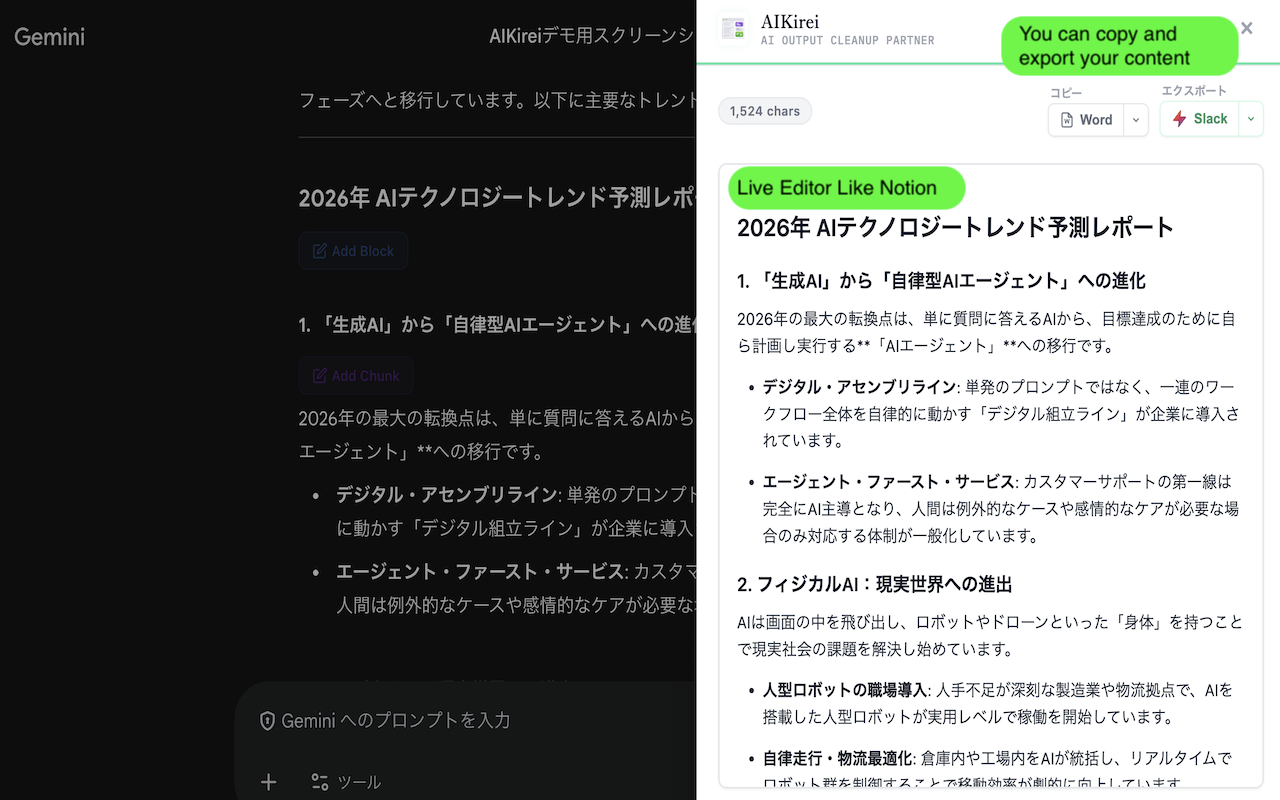
■ Edit right there
A slide-in sidebar editor on the right side of the page. Rich editor supporting headings, lists, code blocks, and tables. Edit without leaving the AI screen.
■ Let AI reformat with cleanup commands
One-click cleanup prompts sent to AI for reprocessing. Your edited text is sent back to AI as a prompt. No need to write prompts yourself.
Cleanup commands
■ Export in 3 formats
Output as Markdown (.md), Word (.docx), or Slack Block Kit Builder format. Also supports clipboard copy (Markdown / Plain text / Word (.docx)).
Done in 3 steps
Install
Add from Chrome Web Store.
No login, no setup.
Select blocks
Click the buttons on AI responses
to pick just the parts you need.
Clean and export
Edit and format in the sidebar.
Copy or download.
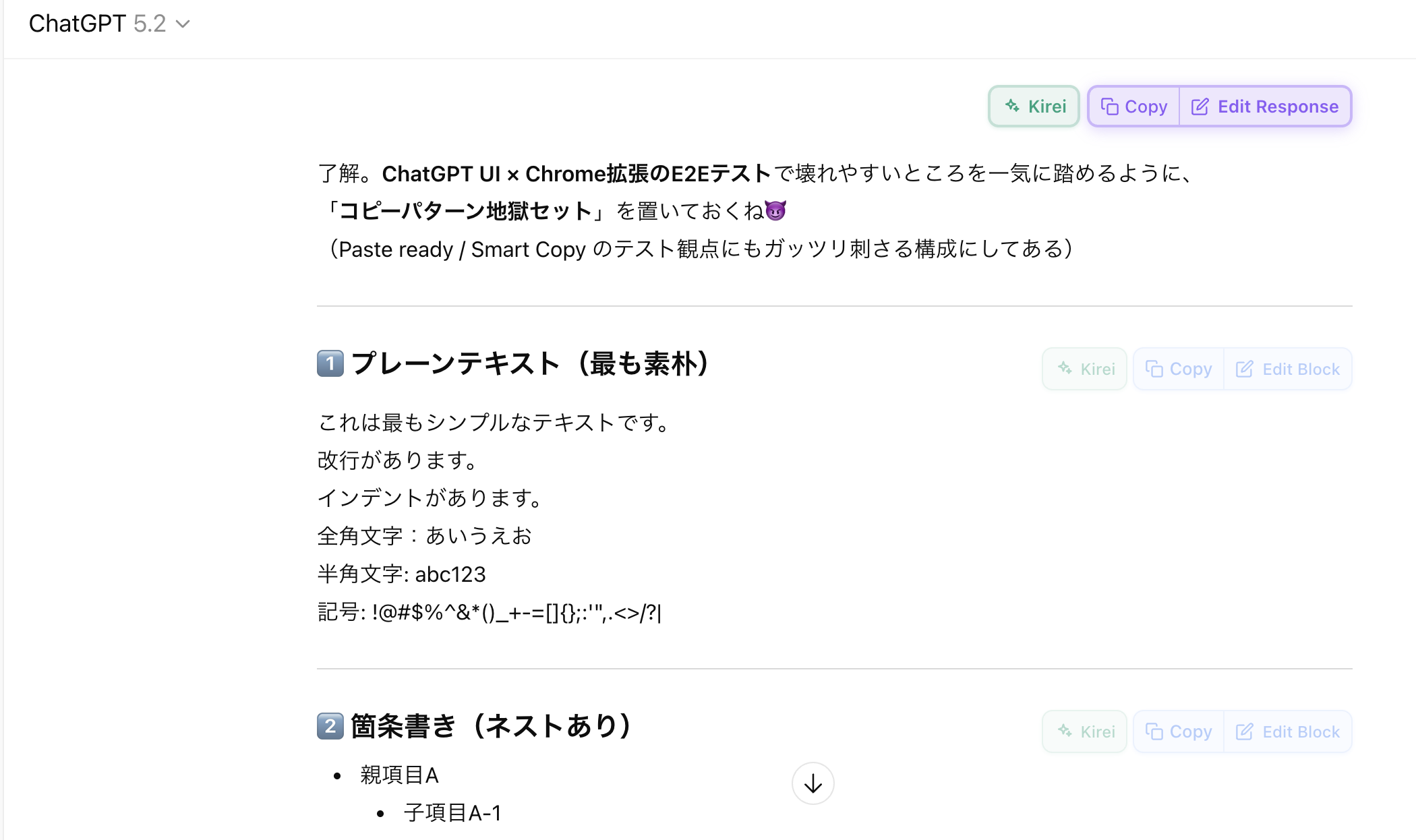
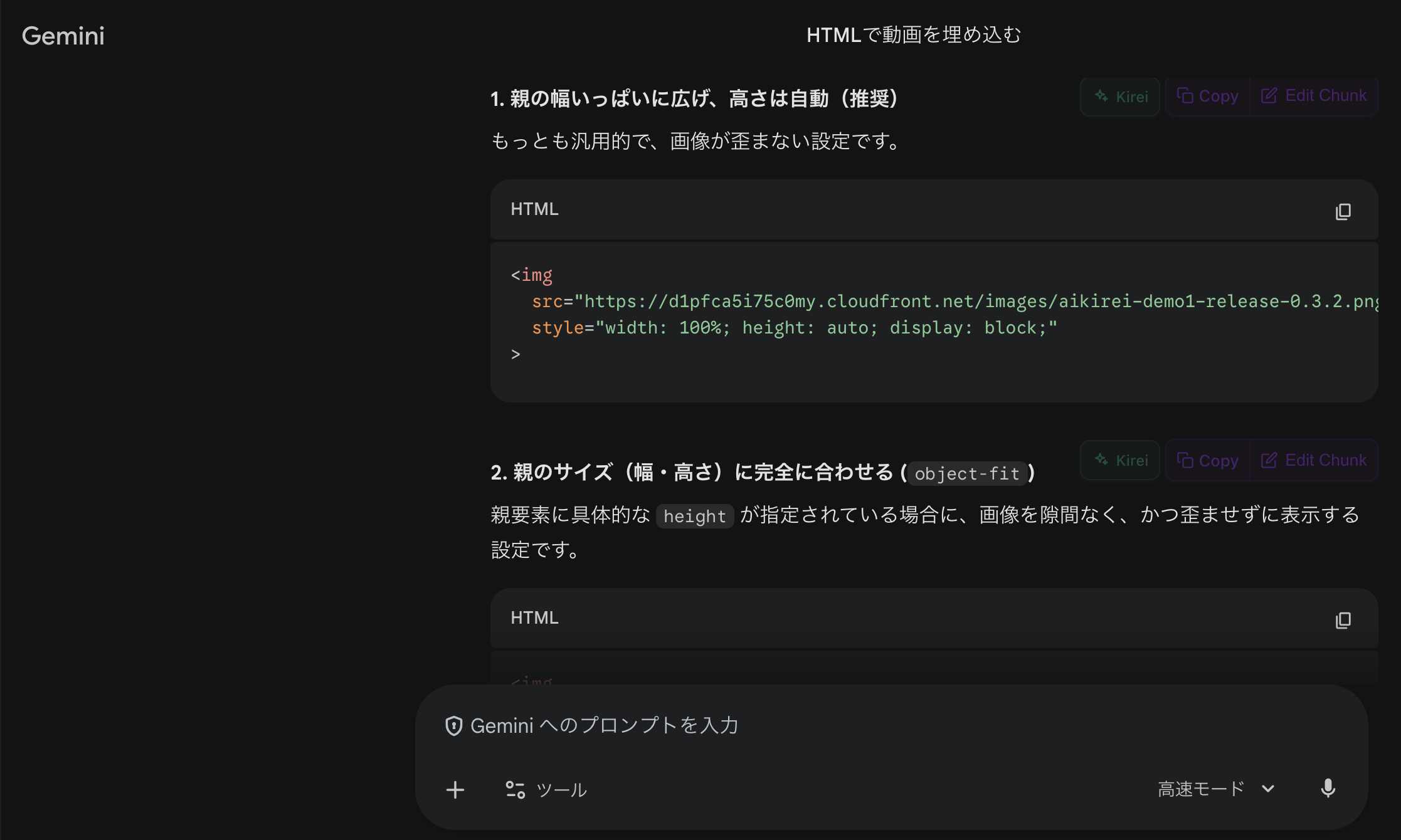
Supported platforms
Designed with user privacy in mind
No external APIs
Everything runs in the browser. No chat content is sent to external servers.
Formatting runs locally
All text processing runs in the browser. Your input is never sent to external APIs.
Session-only storage
Edited data is kept only during the session. Automatically cleared when you close the tab.
You create,
AIKirei cleans up.
We'll handle the "unnamed cleanup work" in your AI output, starting today.